Accounts
Every account, one clear balance
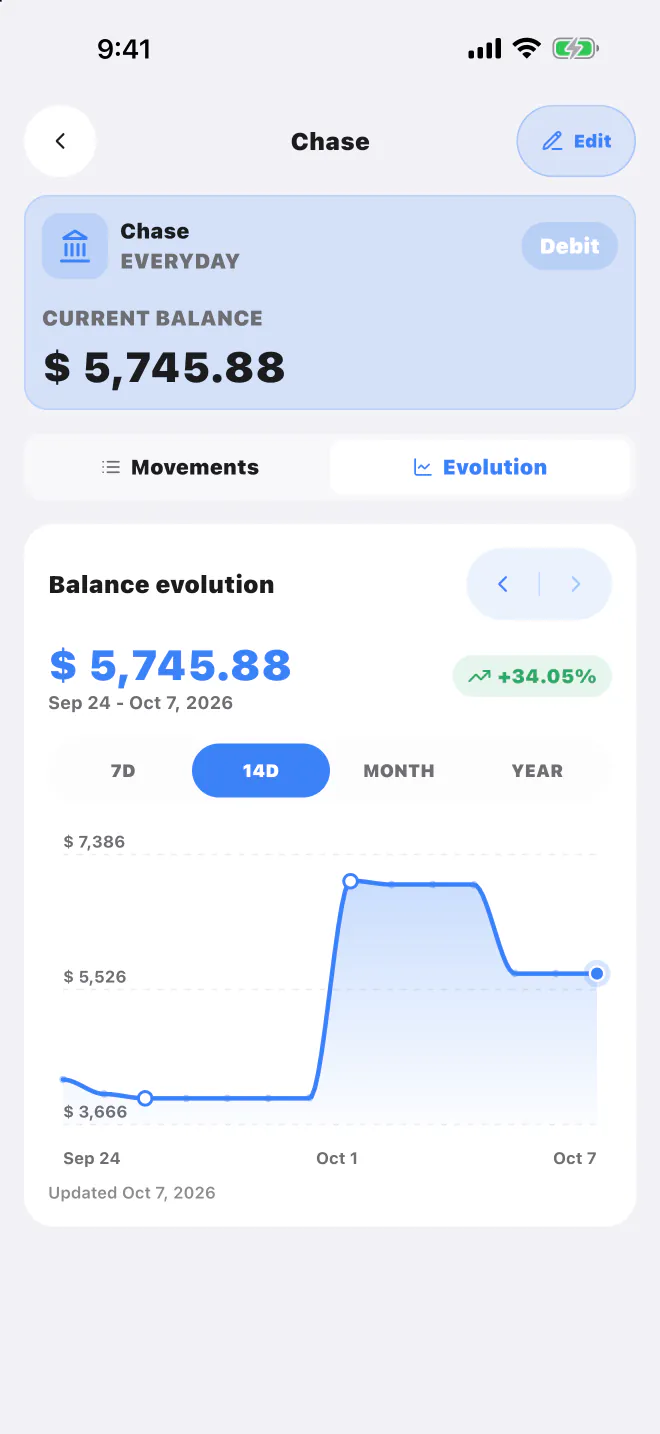
Debit, credit, cash, savings and wallets in any currency, each with its own balance history. See what you have, what you owe and what's still available.
 Free on the App Store
Accounts, spending, subscriptions and loans in one iPhone app. Snap a receipt or write a quick note, then review every detail before it's saved.
Lucas AI
Take a photo, upload a voucher or statement, or just type what you spent. Lucas AI turns it into transactions ready to review.
Up to 10 receipts, vouchers or statements at once, or a note like “lunch at Chipotle 18.50 with Chase and Netflix 15.49 on the Travel Card”.
Amount, currency, merchant, date and category, with a heads-up when something looks like a duplicate.
Nothing is saved until you review it. Edit any field or skip what you don't need.
Everything in one place
Accounts, spending, bills and loans live together, so the numbers always add up.
Debit, credit, cash, savings and wallets in any currency, each with its own balance history. See what you have, what you owe and what's still available.
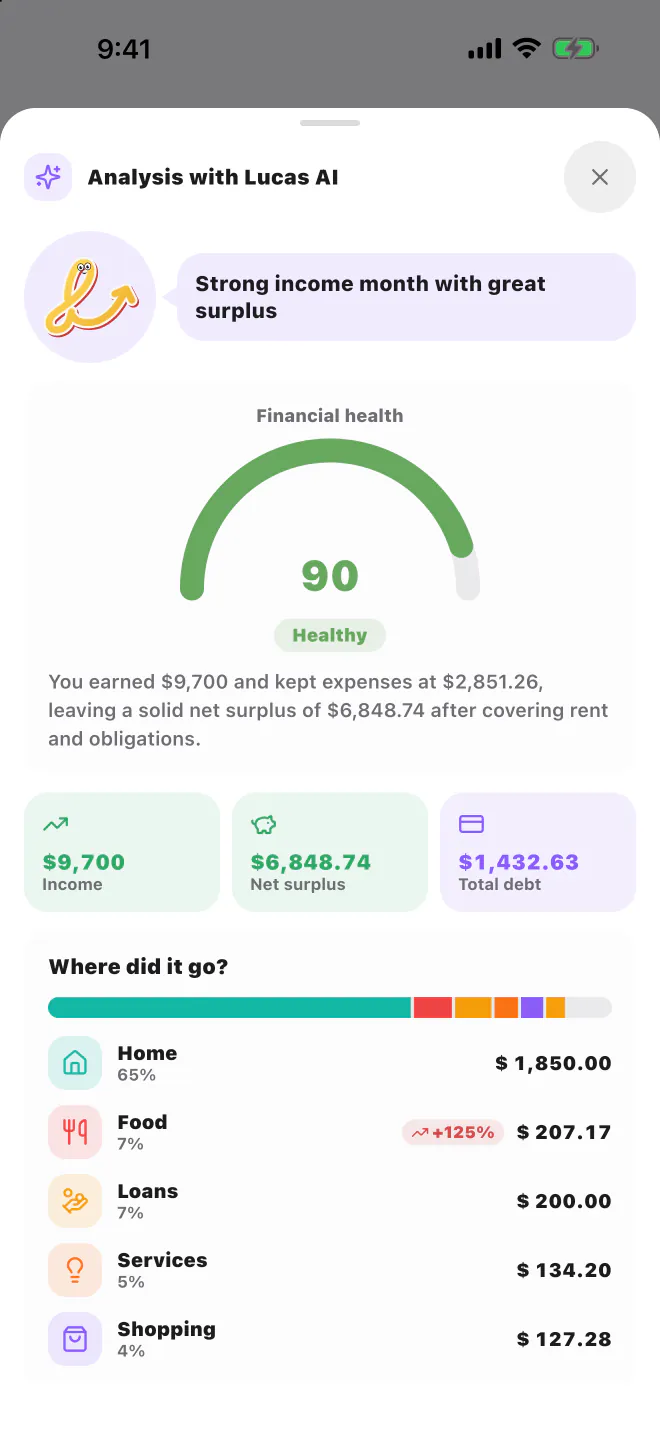
Income, spending and categories for any period, plus a monthly Lucas AI analysis that scores your financial health and suggests ways to save.
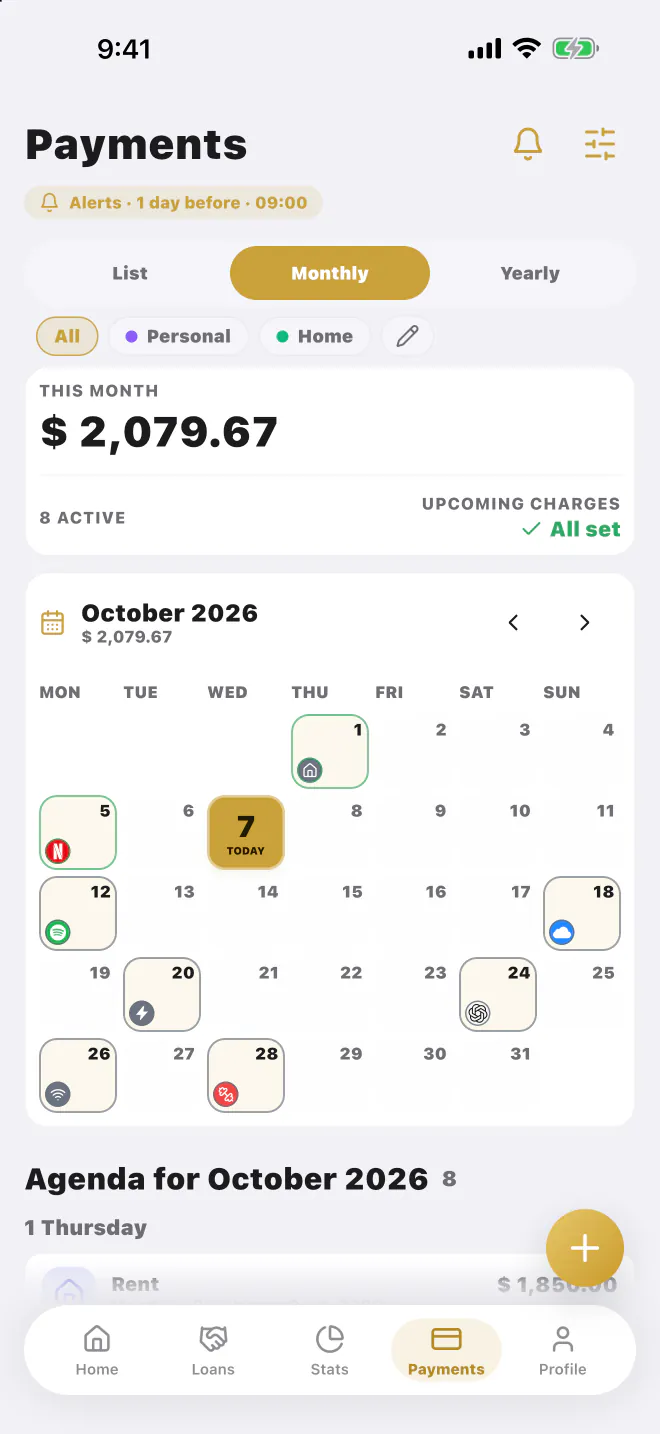
Group recurring charges into Personal, Family or Work, see what's due this month, and mark them paid in one tap.
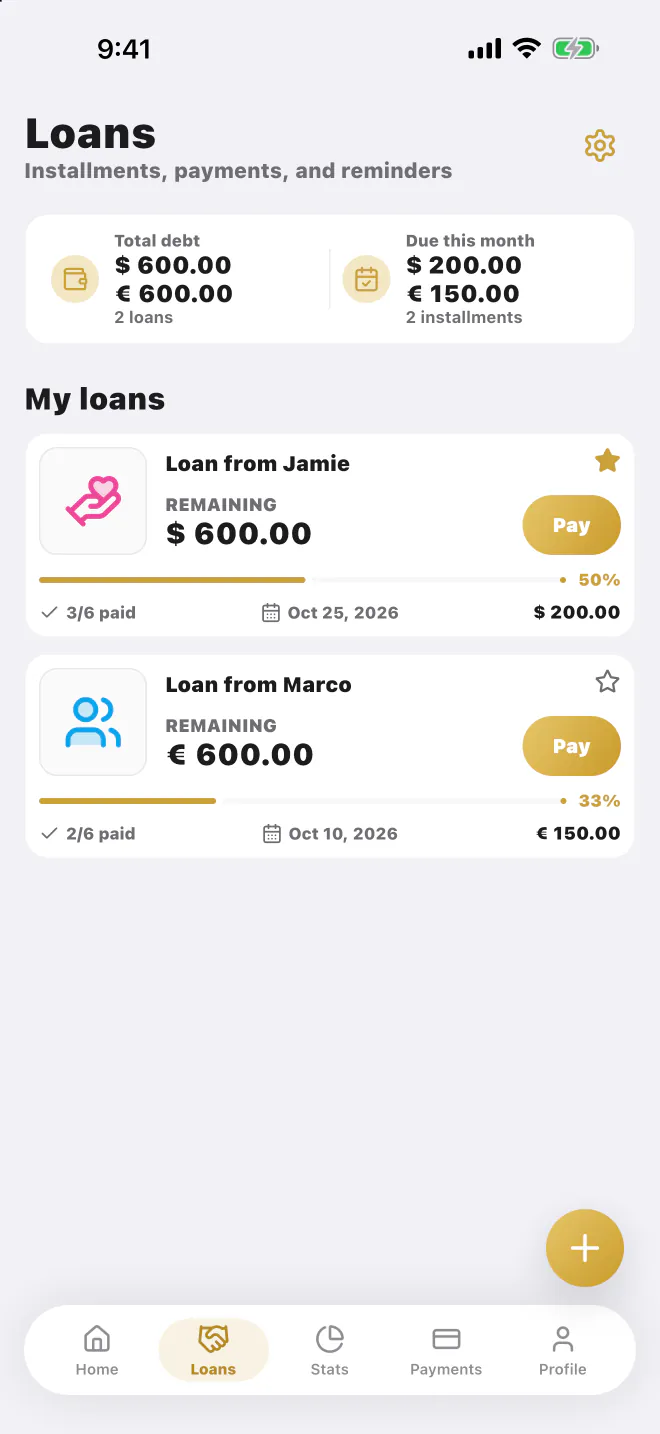
Daily, weekly, monthly or yearly installments with interest, late fees and partial payments. Always know what's left.
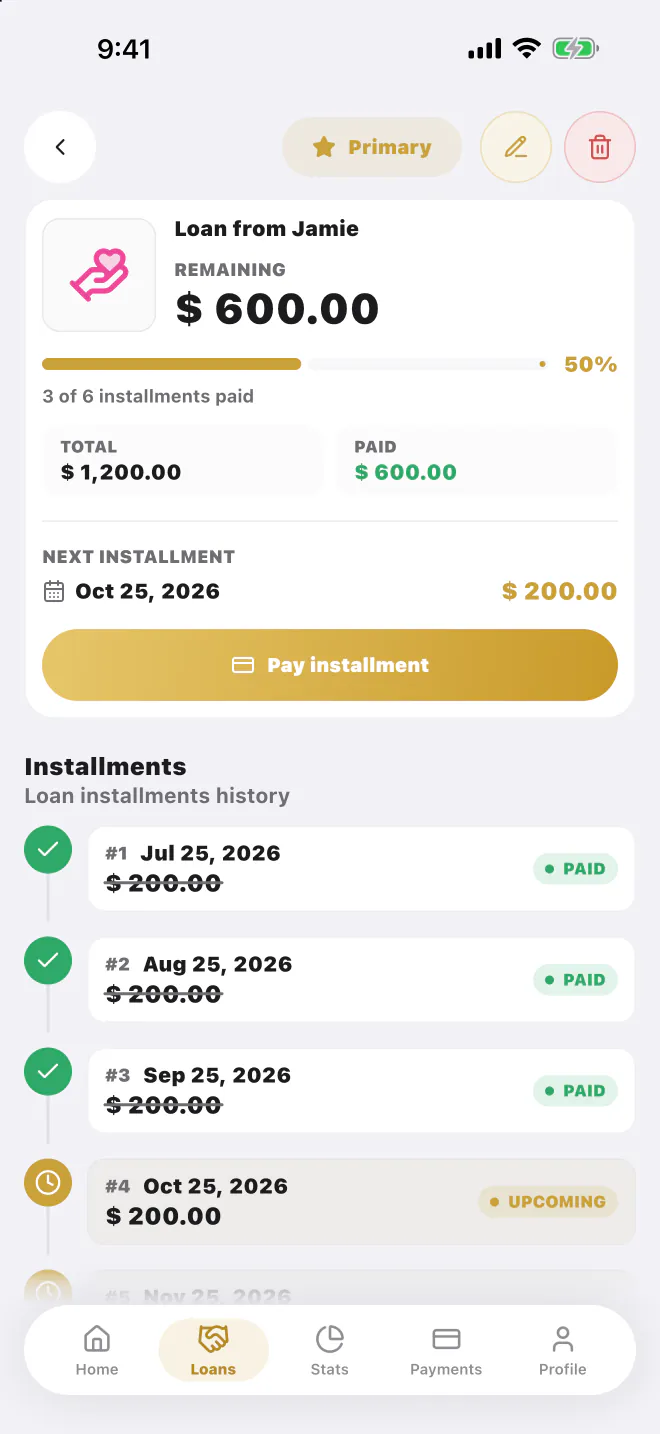
See the next installment, what you've already paid and each loan's installment history, then log the payment in one tap.
Details that matter
LucasApp doesn't connect to your bank. You decide what gets recorded, and your data stays in your account.
Sign in with a passkey and add two-factor codes as a second lock.
Deleted an account or a transaction by mistake? Restore it from the trash for 30 days.
Every ISO 4217 currency, with USD, EUR, PEN, COP and MXN one tap away.
The whole app speaks your language.
Lucas CLI
Connect your computer or your AI assistant to LucasApp. Check balances, log expenses and move money between accounts with commands that answer in JSON.
Run lucas auth login and approve the code in Settings → Security → CLI Access. No browser, no passwords.
Read-only or full. Revoke any device from the app whenever you want.
JSON output, --dry-run before moving money and a confirmation to delete. Made for scripts and assistants.
npm install -g lucasapp-cliView on npmPricing
Free covers the essentials with clear limits. Premium unlocks unlimited accounts, more AI and subscriptions.
Everything you need to start
For your complete financial system
Switch to annual and save 37%Just $1.25 a month, billed yearly
Premium is an auto-renewable Apple subscription, billed monthly or yearly. Cancel anytime from your Apple ID settings. Prices in USD and may vary by country.
Yes. Download it free on the App Store for iPhone. Free includes up to 3 active accounts and 20 Lucas AI analyses a month; Premium unlocks unlimited accounts, more AI and subscriptions.
Lucas AI is the assistant built into LucasApp. It reads receipts, vouchers, statements and short notes, then proposes transactions with amount, currency, merchant, date and category for you to review before saving.
No. LucasApp never asks for your bank login. You add transactions by hand, with transfers, or with Lucas AI from a photo, voucher, statement or short text.
No. Free doesn't need a card. Premium only starts when you choose a monthly or annual subscription.
You can sign in with passkeys and protect your account with two-factor codes (TOTP). Your data stays isolated in your account and is never mixed with other users.
All 154+ ISO 4217 currencies. USD, EUR, PEN, COP and MXN sit at the top, and you can transfer between any pair with an editable exchange rate.
Yes. Cancellation is handled from your Apple subscription, and you keep Premium until the end of the period you already paid for.
Do more with your time.
Download LucasApp free on the App Store for iPhone. No card needed to start.