
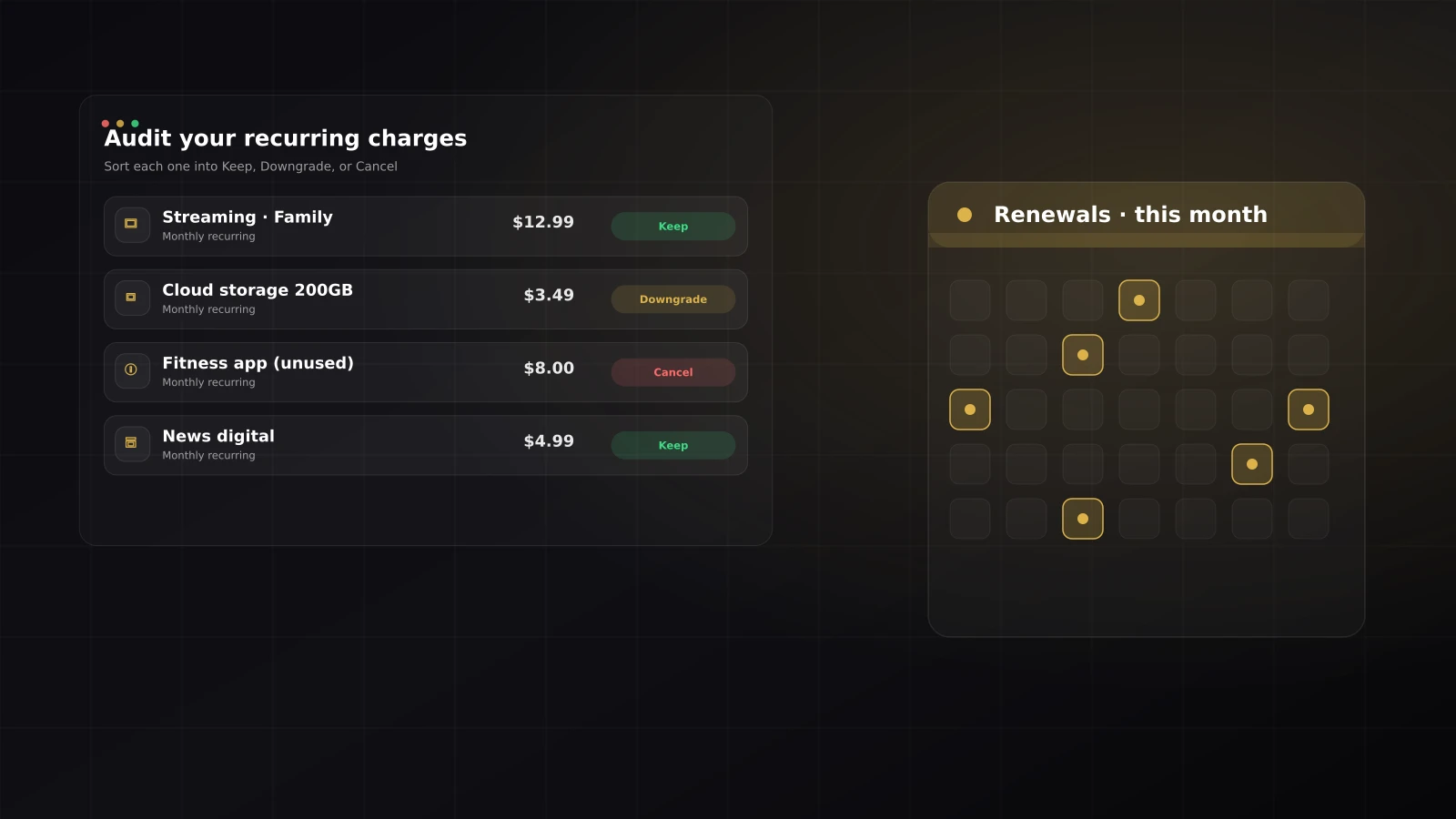
Subscriptions are designed to be easy to start and easy to forget. Individually they look harmless — a few dollars here, a free trial there. Added up, the average household pays for more recurring services than it can name from memory, and the gap between the two is money leaving silently every month.
A subscription audit fixes that in an afternoon. This guide walks through the four steps: find everything, decide with a simple rule, act on the decisions, and set up tracking so the list never rots again.
Step 1 — Find every recurring charge
You cannot audit what you cannot see. Recurring charges are scattered by design, so sweep all of these:
- Bank and card statements, 3 to 6 months back. One month is not enough: annual renewals, quarterly charges, and usage-based services hide in the months you did not check.
- App store subscriptions. On iPhone: Settings → your name → Subscriptions. This is where trial-turned-paid apps live.
- PayPal and payment wallets. Look for “automatic payments” or “pre-approved payments” in the account settings.
- Your inbox. Search for receipt, renewal, invoice, and your subscription. Cancelled-but-still-charging services surface here.
Write every hit into one list with three columns: name, amount, renewal date. Convert annual charges to a monthly equivalent so everything is comparable. Most people find at least one charge they had completely forgotten — that discovery alone usually pays for the time spent.
Step 2 — Sort each one: keep, downgrade, or cancel
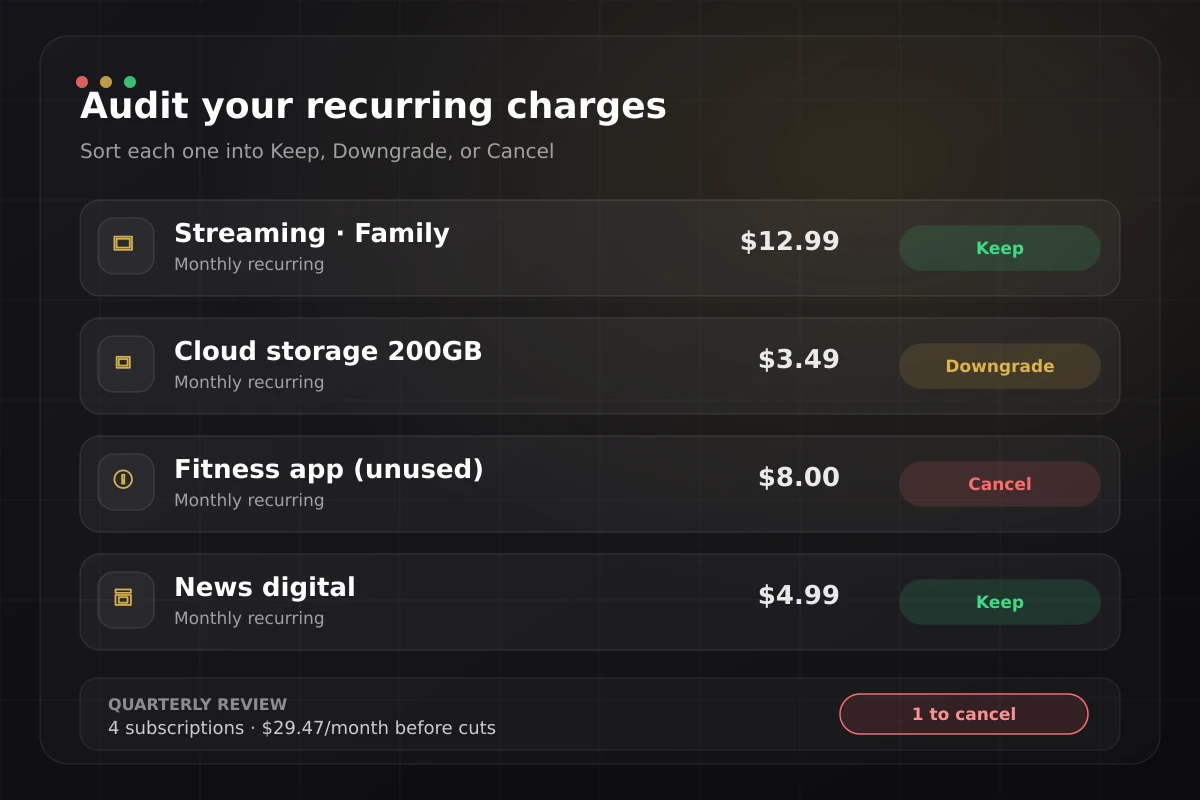
Long deliberation kills audits. Use one question per service: “Did I use this in the last 30 days?” and sort it into one of three verdicts:
| Verdict | When | Example |
|---|---|---|
| Keep | Used in the last 30 days and priced fairly for that usage | The streaming service your family watches weekly |
| Downgrade | Used, but a cheaper tier covers your real usage | 200 GB cloud storage while using 40 GB |
| Cancel | Not used in 30 days, duplicated, or kept "just in case" | The fitness app from a January resolution |
The same 30-day test works beyond subscriptions: small daily expenses like delivery fees and bank charges leak the same way, and cost per use tells you which ones to keep.
Two rules keep the sorting honest:
- “I might need it someday” means cancel. Re-subscribing later takes two minutes. Paying eleven unused months to avoid those two minutes is the worst trade in personal finance.
- Duplicates fight to the death. Two music services, two cloud storages, three streaming platforms nobody watched this month: keep the one with real usage, cancel the rest.
Step 3 — Act immediately, in the same sitting
An audit that produces a to-do list produces nothing. Cancel and downgrade while the list is open. For services with cancellation friction — retention offers, “are you sure?” chains, hidden buttons — the discount they suddenly offer is worth taking only for a service you had marked keep; for anything else it is the price of your forgetfulness, renamed.
For each cancellation, note the end date: most services run until the paid period ends, so a cancelled subscription disappearing from your list next month is expected, not an error.
Step 4 — Track renewals so the list never rots
The first audit is a cleanup; the system is what keeps it clean:
1. Register every survivor as a recurring payment in the tool where you track money, with amount and renewal date. Visible subscriptions do not drift back into the shadows.
2. Put annual renewals on the calendar a week early. A $60 annual charge you remember three days before renewal is a decision; the same charge discovered on the statement is a surprise.
3. Route subscriptions through one card if you can. One surface to scan makes the next audit a ten-minute job instead of an afternoon. It also fits naturally into a 50/30/20 budget — subscriptions are the fastest-growing corner of the wants bucket.
4. Treat every price-increase email as a mini audit of that one service. The 30-day usage question already gives you the answer.
Freed money needs a destination, or it evaporates into general spending. Redirect it at a goal — an emergency fund, or an extra payment against a card balance, where the APR math makes every extra dollar count double.
Where LucasApp fits
LucasApp has recurring payments built in: register each surviving subscription with its amount and renewal date, and the app shows them as scheduled movements alongside your daily spending — no separate spreadsheet to maintain. Groups keep services organized (streaming, tools, storage), and the period summary answers the audit question all year round: what is recurring actually costing me this month?
Sources and further reading
- Consumer Financial Protection Bureau — Managing your money
- FTC — Canceling subscriptions and free trials (general reference)
Examples and amounts in this article are illustrations, not personalized advice. Review your own statements and terms before making changes.
Frequently asked questions
How often should I audit my subscriptions?
Twice a year is enough for most people, plus a quick check whenever a price-increase email arrives. The first audit is the big one; after that you are maintaining a short, known list.
Where do forgotten subscriptions hide?
Check card statements for 3–6 months (annual charges hide in the months you skip), app store subscription pages, PayPal automatic payments, and inbox searches for words like receipt, renewal, and subscription.
Is it better to cancel or pause?
If the service offers a pause and you genuinely expect to return, pausing preserves your history and pricing. If you are keeping it 'just in case', that is usually a cancel — you can re-subscribe later if you miss it.
Do annual plans save money?
Only for services that survive an audit. An annual plan on something you use weekly is a real discount; an annual plan on something you might use converts one forgettable monthly charge into a large forgotten one.